Your electric arc lighter may look simple, yet the wrong charging connector can cause slow charging, battery damage, or complete failure. Many owners cannot tell whether their lighter uses USB-C, micro USB, a magnetic cable, or a proprietary connector. This Electric arc lighter charging connector guide explains how to identify the correct port, choose a safe charger, troubleshoot problems, and replace damaged cables.
Electric Arc Lighter Charging Connector Guide: Types and Identification
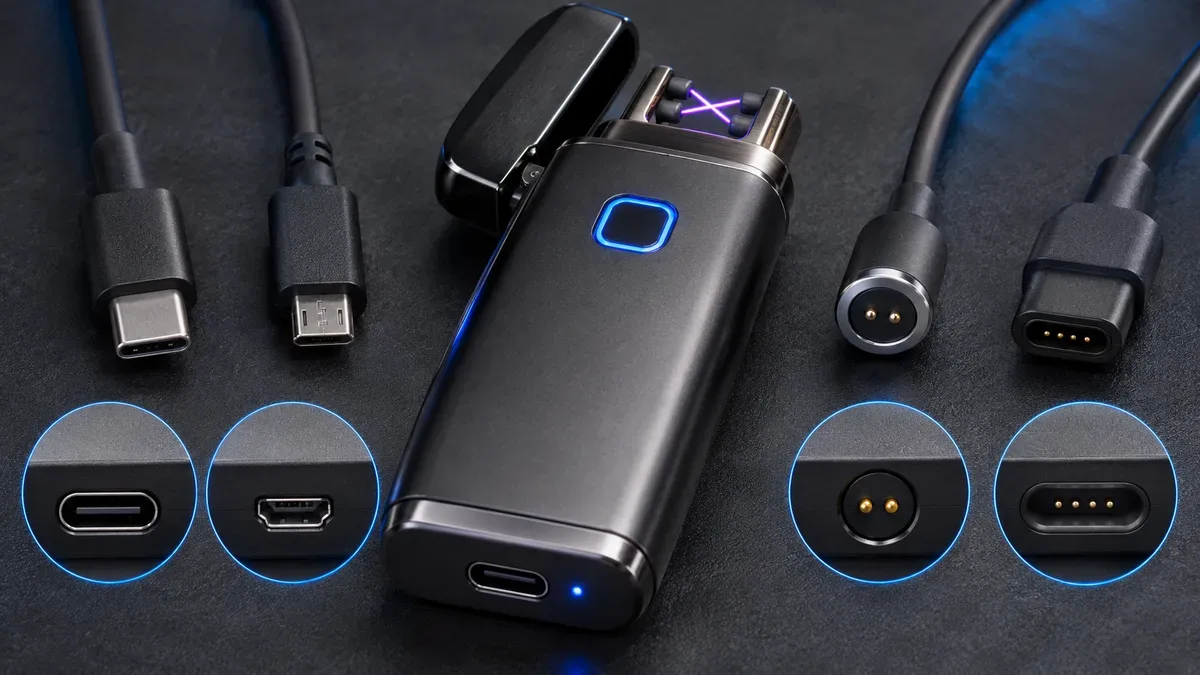
An electric arc lighter charging connector transfers power from a charger to the lighter’s rechargeable battery. The connector carries electricity through specific contacts, wires, and charging circuitry. Therefore, the plug must match both the physical port and the lighter’s electrical requirements.
Connector type matters because USB-C, micro USB, magnetic, and proprietary systems use different designs. Additionally, voltage, current, polarity, and cable quality affect charging safety. A plug may fit neatly while still delivering unsuitable power or making poor electrical contact.
USB-C arc lighter connectors
USB-C ports have a symmetrical, rounded oval shape. Their plugs work in either orientation, which makes them convenient in dim rooms or outdoor conditions. Moreover, USB-C cables are widely available and usually offer strong mechanical durability.
However, USB-C does not automatically mean fast charging. Some arc lighters use USB-C only for basic, low-power charging. Therefore, do not assume a laptop USB-C charger is suitable unless the manufacturer confirms compatibility.
Micro USB and USB-A cables
Micro USB ports are smaller and asymmetrical. Their plugs fit only one way, so forcing the connector can bend internal contacts. Usually, the wider edge faces upwards, but always inspect the port instead of guessing.
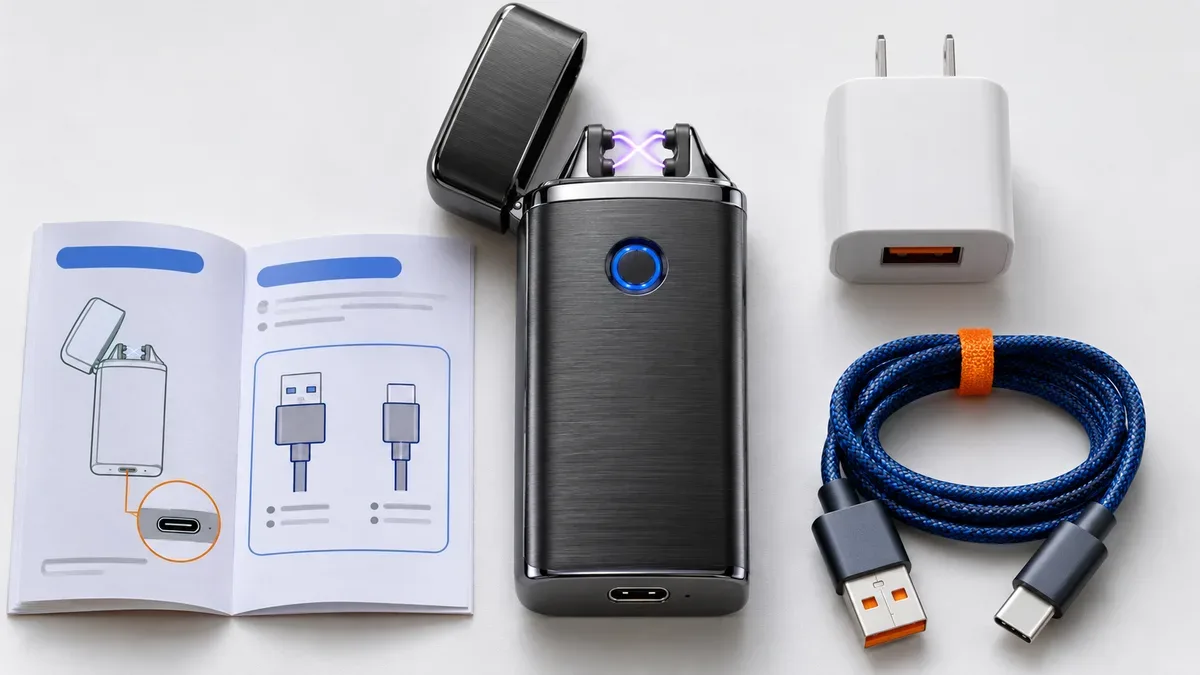
USB-A usually describes the charger-side plug. The lighter-side connector may still be USB-C, micro USB, magnetic, or proprietary. For example, a USB-A to USB-C cable has a rectangular charger plug and a reversible oval lighter plug.
Magnetic and proprietary connectors
Magnetic charging systems use a detachable tip that aligns with contacts on the lighter. The magnet helps hold the cable in place, but correct alignment remains essential. A lost, dirty, or mismatched tip can prevent charging completely.
Proprietary connectors use brand-specific plugs, moulded shapes, or unusual pin layouts. These systems often require the supplied cable or an exact replacement. Never assume that two similar-looking plugs share the same wiring.
To identify your port, check the following sources:
- The lighter’s printed model number and charging-port markings.
- The user manual, packaging, and original cable.
- The product listing or manufacturer’s technical specifications.
- The connector shape, size, orientation, and contact arrangement.
Most importantly, never force a connector into place. Visual similarity alone does not confirm electrical compatibility. If the plug feels tight, loose, unusually hot, or difficult to remove, stop and investigate further.
How to Match an Electric Lighter Charger, Cable, and Power Source
Start with cable compatibility
Match the lighter-side connector first. Once that end matches, choose either USB-A or USB-C for the charger side. This approach prevents a common mistake: buying a familiar cable that fits the power source but not the lighter.
Next, inspect the cable’s condition. Frayed insulation, bent plugs, exposed wires, crushed sections, or loose magnetic tips can interrupt charging. A cable can fit physically and still fail because internal wires have broken.
Check the electrical requirements
Read the lighter label or manual before choosing an adapter. Look for input voltage, current, wattage, and polarity information. Many arc lighters use standard low-power USB charging, but specifications vary between models.
For general battery information, readers can consult this overview of lithium-ion batteries. However, the lighter’s own specifications should always take priority over general advice.
Can a phone charger charge an arc lighter? Often, a basic compatible USB adapter works when the connector, voltage, and current requirements match. Nevertheless, do not treat every phone charger as automatically suitable.
High-wattage USB-C laptop chargers and fast chargers require extra caution. USB-C describes the connector shape, not guaranteed fast-charging support. Use those chargers only when the lighter explicitly supports the relevant charging standard.
Choose a suitable power source
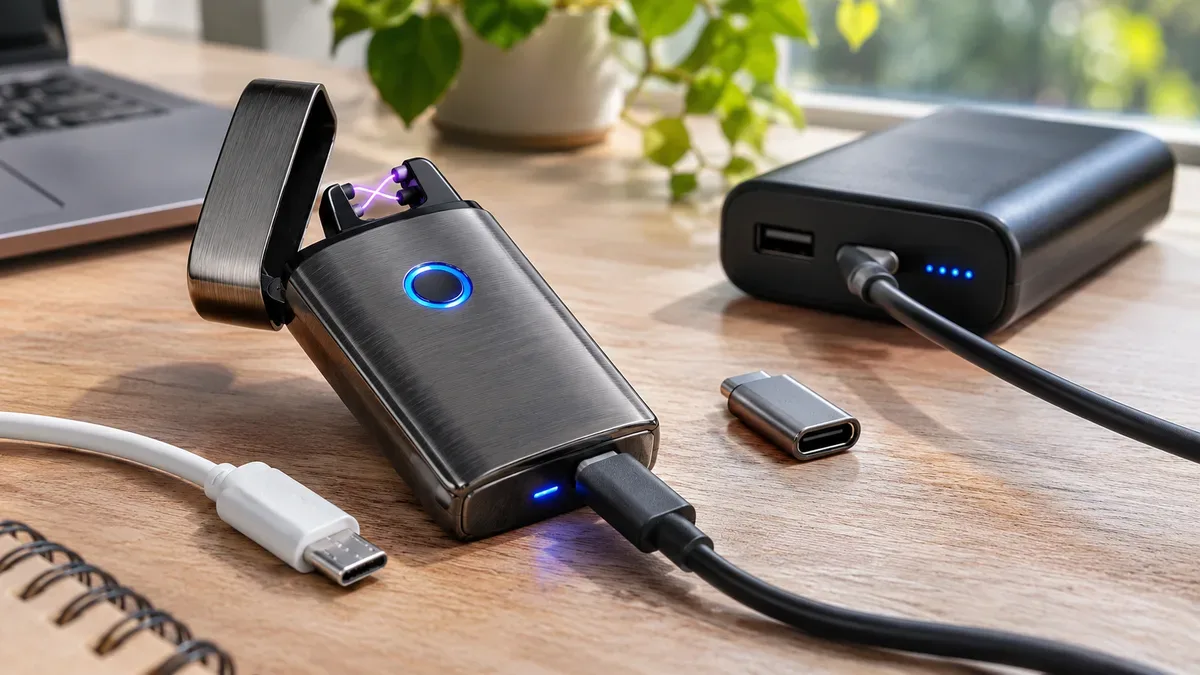
A laptop or desktop USB port may provide convenient charging, although charging could take longer. A car USB adapter can also work when its output matches the lighter’s requirements. Meanwhile, a power bank may shut off automatically if the lighter draws very little current.
When buying a replacement plasma lighter charging cable, prioritise the exact model number. Confirm the connector dimensions, orientation, input requirements, seller reputation, and return policy. Avoid listings that claim universal compatibility without naming supported models.
Use this compatibility checklist before connecting anything:
- Connector shape and lighter-side fit.
- Input voltage, current, wattage, and polarity.
- Cable condition and construction quality.
- Charger output and charging standard.
- Manufacturer approval or model-specific compatibility.
- Dryness of the port, plug, and surrounding housing.
How to Charge an Electric Arc Lighter Safely
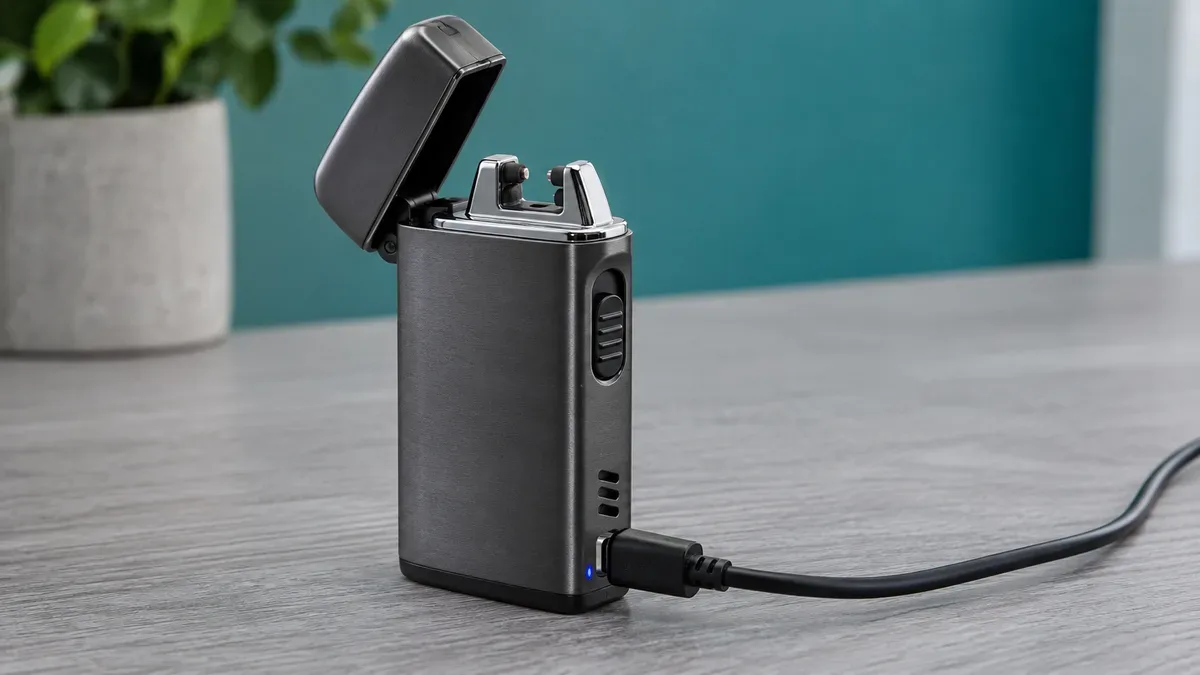
- Inspect the lighter first. Turn it off and check the housing, cable, port, electrodes, and safety switch. Look for damage, debris, moisture, swelling, or heat marks.
- Confirm compatibility. Match the electric lighter charging port and adapter with the manufacturer’s requirements. Check the voltage and current before connecting the device.
- Connect carefully. If the manual recommends it, connect the cable to the power source first. Then insert the lighter-side plug gently and completely.
- Choose a safe location. Place the lighter on a stable, dry, ventilated surface. Keep it away from sunlight, flammable materials, children, and pets.
- Monitor the charge. Watch the indicator and disconnect the lighter when charging finishes. Stop immediately if unusual heat, odour, swelling, noise, or smoke appears.
Safe arc lighter charging also means avoiding wet conditions, damaged cables, loose adapters, and extreme temperatures. Do not cover the charging port while the lighter remains connected. Additionally, avoid charging on bedding, inside bags, or beside heat-producing appliances.
A waterproof or water-resistant lighter still needs a dry charging port. Water resistance does not mean the device can charge while wet, submerged, or uncovered. Dry the port completely before connecting any cable.
Can an arc lighter charge overnight? Follow the manual’s instructions, but avoid unattended overnight charging when possible. Never charge a damaged, swollen, unusually hot, or water-damaged device.
Recharge the lighter when its battery indicator becomes low. Repeatedly topping up a nearly full battery may not suit every model. Therefore, follow the battery-care guidance supplied with your specific lighter.
Arc Lighter Charging Time, Battery Indicators, and Performance
Charging time depends on the model and battery capacity. Small arc lighters often charge faster than larger multi-arc designs. However, the manufacturer’s stated estimate remains the most reliable guide.
Several factors can change charging time:
- Battery capacity and age.
- Charger output and cable quality.
- Room temperature and battery temperature.
- Port cleanliness and connector contact.
- Use of the lighter while connected.
Charging indicators vary widely between products. A solid LED, blinking light, changing colour, segmented display, or automatic shutoff may indicate progress. However, colours and blinking patterns are not universal.
A steady green or blue light may indicate a full charge on some models. Other lighters stop blinking, display a full battery icon, or cut off charging automatically. Always verify the indicator code in the manual.
Battery degradation often appears gradually. Common signs include shorter runtime, sudden power loss, unusually long charging, rapid percentage drops, or heat during normal charging.
Repeated ignition attempts can also reduce runtime. Windy conditions may require longer activation, while multiple arcs consume more energy. Frequent use of safety locks, displays, or built-in lights can add further drain.
Record the lighter’s normal charging time and typical runtime. This simple habit helps identify changes caused by a cable, port, charger, or ageing battery.
Why an Electric Arc Lighter Is Not Charging: Troubleshooting Steps
Begin with simple checks. Test another compatible cable, power source, wall adapter, laptop port, or power bank. Change only one item at a time, and avoid mixing incompatible specifications during testing.
Next, check the connection itself. Confirm that the plug is fully inserted and correctly oriented. For magnetic systems, check alignment and ensure that a protective cover does not block the contacts.
Inspect the charging port with good lighting. Look for lint, dust, corrosion, bent contacts, looseness, or signs of liquid exposure. A small obstruction can stop the plug from reaching the correct position.
Clean the connector safely by following these steps:
- Turn off the lighter and disconnect every cable.
- Use a dry, soft brush or a gentle air blower.
- Remove loose debris without scraping the contacts.
- Avoid liquids, metal tools, pins, and sharp objects.
- Reconnect only after the port looks clean and dry.
A loose charging port needs immediate caution. Stop using the lighter if the plug moves excessively, charging cuts in and out, sparks appear, or the connector becomes hot. Continued movement can damage the cable and internal charging board.
Slow charging may result from a weak adapter, damaged cable, low battery temperature, or poor port contact. Also, check whether the charger shares power with another device. Compare charging performance using a known-compatible adapter.
If the lighter charges but loses power quickly, compare its runtime with the manufacturer’s expectations. Battery ageing, internal damage, repeated high-load use, or a faulty indicator may explain the change.
A reset may help on some models. Follow the manufacturer’s button combination, or allow the lighter to cool before reconnecting it safely. Do not open the housing to reset internal components.
Stop troubleshooting immediately if you notice swelling, a burning smell, smoke, sparking, severe heat, corrosion, liquid damage, or a damaged battery. Seek professional service or replace the lighter.
- No indicator: suspect the cable, port, adapter, or power source.
- Intermittent charging: suspect contact problems, magnetic alignment, or port damage.
- Normal charging but poor runtime: suspect battery wear or internal damage.
Replacement Connectors, Repair Options, and Frequently Asked Questions
When should you replace the cable?
A cable replacement makes sense when insulation frays, the plug bends, the connection becomes intermittent, or a magnetic tip goes missing. Visible connector damage also justifies replacement.
Replacing the entire lighter may prove safer when the device has a sealed construction, damaged battery, burned contacts, water intrusion, or unknown proprietary wiring. Replacement parts may also be unavailable for older models.
Reliable options include the manufacturer’s cable, an authorised repair centre, a qualified electronics technician, or a model-specific replacement assembly. Avoid cutting and splicing USB cables or swapping connector heads.
Never bypass charging circuitry or install a port solely because its physical shape matches. Lithium batteries and charging boards can create fire, shock, or short-circuit risks when modified incorrectly.
Frequently asked questions
What type of connector does an electric arc lighter use?
It may use USB-C, micro USB, USB-A through an adapter cable, magnetic contacts, or a proprietary connector. Check the manual and original cable for confirmation.
How do I identify the port?
Inspect the shape, orientation, model number, packaging, and manufacturer specifications. Never rely on appearance alone.
Can I use a phone charger?
Usually, a basic USB adapter can work when voltage, current, connector, and cable requirements match. Avoid assuming that every fast charger is suitable.
How long does charging take?
Charging time depends on battery size, charger output, cable condition, temperature, and battery age. Use the manufacturer’s estimate as your baseline.
Is overnight charging safe?
Follow the manual and avoid unattended charging when possible. Never charge a damaged, swollen, wet, or unusually hot lighter.
Can I use a laptop or power bank?
Yes, when the power source, cable, voltage, and current are compatible. Some power banks may shut off because the lighter draws very little power.
How do I clean the port?
Turn off and disconnect the lighter. Use a dry, soft brush or gentle air blower, and avoid liquids, metal tools, and sharp objects.
Save this compact checklist for future charging:
- Identify the port and exact model.
- Verify voltage, current, and connector specifications.
- Inspect the cable and plug.
- Use a suitable charger or power source.
- Monitor charging indicators.
- Keep the connector clean and dry.
- Stop immediately if heat or damage appears.
Conclusion
The correct electric arc lighter charging connector depends on the port design and electrical specifications, not appearance alone. Identify the connector through the manual or manufacturer, then use a compatible cable and suitable low-power source.
Keep the port dry and clean, monitor charging indicators, and avoid damaged cables or uncertain adapters. Check your lighter’s model number and charging-port specifications before buying a replacement cable, then save this compatibility checklist for future troubleshooting.
For related smoking accessories and product information, visit Sweet Puff Australia. Always choose accessories that match the product’s specifications and use them responsibly.